Why Purpose-Led Branding in India Is Winning Consumer Trust in 2026
Why Purpose-Led Branding in India Is Winning Consumer Trust in 2026 Purpose-led branding in India is winning trust because Indian...
Read More → 
THE BEST MARKETING CONSULTANT IN DELHI
If your website still looks the way it did five years ago, chances are your customers have already noticed — even if you haven’t. A handful of clear signals separate a site that’s quietly losing you business from one that’s actually working: an old visual style, a clunky mobile experience, pages that take too long to load, and visitors leaving faster than they arrived. If two or more of these sound familiar, you’re overdue for a website design update.
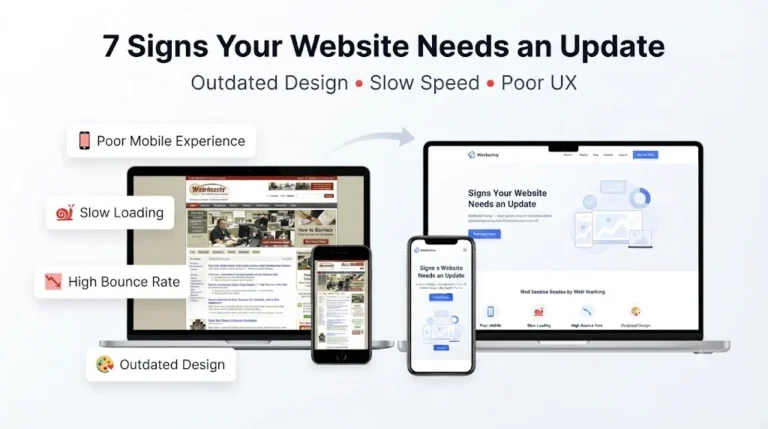
Design trends move fast, and what felt modern in 2019 can look dated by 2024. The tell-tale signs of outdated website design are easy to spot once you know what to look for:
None of this is about chasing trends for their own sake. An old visual style signals — fairly or not — that the business behind it might be equally behind. Visitors form an opinion about credibility within seconds of landing on a page, long before they read a single word of your copy.
More than half of web traffic today comes from phones, and a site that wasn’t built mobile-first usually shows it in small but frustrating ways: text that requires pinch-to-zoom, buttons placed too close together to tap accurately, images that overflow the screen, or forms that are painful to fill out on a touchscreen keyboard.
Poor mobile experience isn’t just an inconvenience — it’s one of the fastest ways to lose a sale. Someone browsing your product catalog on their commute isn’t going to fight with your layout; they’ll simply open a competitor’s site instead. If you haven’t actually opened your own website on your phone recently and tried to complete a purchase or fill a contact form, that’s worth doing today.
Speed is one of those things people don’t consciously notice until it’s missing. A site built years ago, especially one that’s had features and plugins bolted on over time, often carries bloated images, unoptimized code, and unnecessary scripts that slow everything down. Slow load time affects more than patience — it directly affects how search engines rank you and how many visitors stick around long enough to see your offer.
A useful gut check: load your homepage on mobile data (not wifi) and time how long it takes to become usable. If it’s more than a few seconds, visitors are likely bouncing before your content even appears.
High bounce rate is often the symptom that ties the other three together. When people land on a page and leave almost immediately, it’s rarely random — it’s usually a reaction to something structural: a layout that doesn’t guide the eye anywhere useful, a value proposition that isn’t clear within the first few seconds, or a page that simply feels untrustworthy to interact with.
If your analytics show visitors arriving and leaving within seconds, especially from mobile traffic, that’s not a content problem you can fix with better copy alone — it’s usually a design and experience problem underneath it.
A redesign isn’t about making things “prettier” for its own sake. Done properly, it addresses the actual friction points:
For ecommerce and service businesses especially, this translates directly into fewer abandoned carts, more completed inquiries, and a site that actually supports the sales process instead of working against it.
Check where visitors are dropping off using your analytics tool. If most exits happen on mobile, or within the first few seconds on your homepage or landing pages, design and load speed are the more likely culprits than the content itself.
Not always. Sometimes targeted fixes — compressing images, adjusting mobile breakpoints, simplifying a cluttered page — solve the immediate problem. A full redesign makes more sense when several of these issues overlap, since patching one at a time on an old foundation often costs more in the long run than rebuilding it properly.
There’s no fixed rule, but most businesses find that every 2–3 years is a reasonable checkpoint, since design standards, mobile usage patterns, and search engine expectations shift meaningfully over that time.
Not if it’s planned correctly. Rankings are more likely to improve, since faster load times and better mobile usability are both factors search engines account for directly. Problems only arise when redesigns are done carelessly — broken redirects, removed pages, lost content — none of which is inherent to the process itself.
Open your own site on your phone using mobile data and try to complete the action a real customer would — filling a form, browsing products, or checking out. If you find yourself pinching to zoom, missing tap targets, or waiting too long for images to load, your visitors are hitting the same friction.
It’s not overstated. Even a delay of a couple of seconds noticeably increases the chance a visitor leaves before your page finishes loading. For ecommerce specifically, that often means an abandoned cart before the visitor has even seen the product properly.
You can, and it sometimes makes sense as a first step — especially if the homepage is where most traffic lands and drops off. But if inner pages share the same outdated template, mismatched design between the homepage and the rest of the site can end up looking worse than leaving everything consistent.
Design that looks acceptable on a desktop screen doesn’t guarantee it holds up on the devices your actual customers use. Most traffic today is mobile, so a site can look completely fine to you and still be quietly losing visitors on the screen size that matters most.
This depends on the size of the site and how much content needs to be restructured, but a focused redesign for a small-to-mid-sized business site typically takes a few weeks from planning to launch, not months.
Having a rough idea of your current pain points helps — whether that’s specific pages with high bounce rates, mobile complaints from customers, or just a general sense that the site feels outdated. You don’t need technical details; a clear picture of what isn’t working is enough to start with.
If you’re checking off more than one of these signs, it’s worth getting a second opinion before deciding what to do next. As a website designer working closely with ecommerce businesses, Ritwik Sachdeva offers a straightforward look at where your current site is losing visitors — no pressure, just a clear read on what’s actually holding it back.
📞 Call or WhatsApp: 9289626386
🌐 Visit: ritwiksachdeva.in to see examples of past redesign work and get started.