Why Purpose-Led Branding in India Is Winning Consumer Trust in 2026
Why Purpose-Led Branding in India Is Winning Consumer Trust in 2026 Purpose-led branding in India is winning trust because Indian...
Read More → 
THE BEST MARKETING CONSULTANT IN DELHI
Video Editing Mistakes can make viewers leave even when the idea itself is strong. Most videos don’t lose viewers because the idea was weak — they lose viewers because of how the footage was cut. Bad pacing, a slow start, muffled audio, or missing captions can quietly kill a video’s watch time even when the content itself is genuinely good. If your views are decent but your engagement (watch time, comments, shares, conversions) isn’t matching, the editing is usually where to look first.
Here’s a breakdown of the video editing mistakes that hurt engagement the most, and what to do instead.
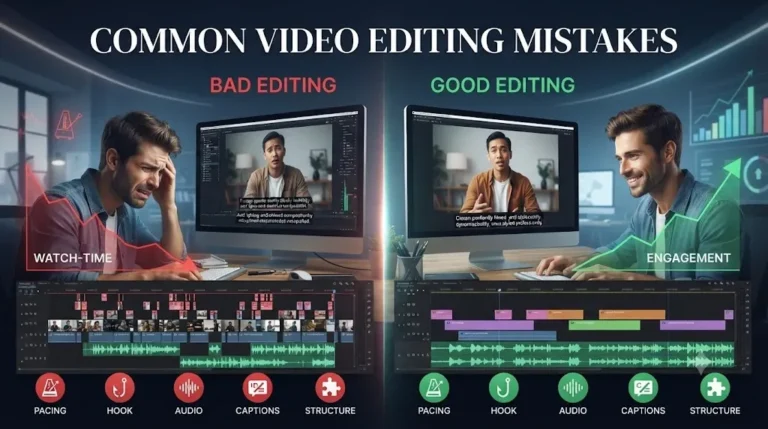
Pacing is the rhythm of a video — how quickly cuts happen, how long a shot lingers, when a scene changes. Get it wrong in either direction and viewers drop off.
The fix isn’t a fixed cuts-per-minute number. It’s matching pace to content: quick cuts for a product showcase or highlight reel, slower and more deliberate pacing for something that needs to be understood, not just consumed.
On most platforms, the first 2-3 seconds decide whether someone stays or scrolls. A weak hook usually looks like one of these:
A stronger opening puts the most interesting moment, the boldest claim, or the actual problem being solved right at the front — then fills in context afterward. If you can cut the first five seconds of a video and it starts stronger, that’s usually a sign the original opening was working against you.
Viewers forgive average visuals far more easily than they forgive bad audio. Background hiss, inconsistent volume between clips, distorted voiceovers, or music that drowns out speech are some of the fastest ways to lose someone within the first ten seconds — even if the visuals are strong.
Common audio mistakes worth checking for in every edit:
Audio is rarely the most exciting part of editing, but it’s often the difference between a video that feels professional and one that feels amateur, regardless of how good the camera work is.
A large share of video views today happen with the sound off — scrolling on a phone, watching at work, or on platforms where autoplay defaults to muted. A video with no captions simply loses that entire portion of the audience before the message even lands.
Beyond just having captions, timing and readability matter:
Captions aren’t just an accessibility add-on anymore — for a lot of platforms, they’re a primary way content gets consumed and understood.
A video that jumps between points without a clear beginning, middle, and end leaves viewers unsure of what they’re watching or why they should keep watching. This usually shows up as:
Even a 30-second video benefits from a simple structure: hook, core message, resolution or call to action. Editing without that structure in mind tends to produce something that feels like disconnected clips rather than one cohesive piece.
Individually, one of these issues might not sink a video. But pacing problems, weak hooks, poor audio, and missing captions tend to compound — a slow opening loses viewers before they even get to the bad audio a few seconds later. Reviewing an edit specifically against these five points before publishing catches most of the engagement leaks before they cost you views.
There’s no universal number, but the first 2-3 seconds usually decide whether someone keeps watching, especially on short-form and social platforms. The hook should show or say the most compelling part of the video immediately, not build up to it.
Both. Captions help viewers who watch on mute, viewers in noisy or quiet environments, and viewers who process text alongside audio — all of which widens how much of your audience actually stays engaged.
No. Fast cuts work well for high-energy or short-form content, but slower-paced videos like tutorials or interviews need room for the viewer to absorb information. Matching pace to the type of content matters more than speed itself.
To an extent — noise reduction, EQ, and leveling can improve rough audio, but there’s a ceiling to how much can be recovered. Getting cleaner audio at the recording stage will always outperform trying to fix it entirely in editing.
Usually it’s an editing issue rather than a content issue — a slow opening, a lull in the middle, or audio that’s hard to follow can make viewers drop off before the actual value of the video comes through. Watch-time graphs on most platforms will show exactly where this happens.
Length matters less than whether every section earns its place. A tightly edited 90-second video with no dead moments will usually outperform a loosely edited 4-minute one. Cut anything that doesn’t move the video forward, regardless of the target length.
Not always. Music should support the tone, not compete with the voiceover or dialogue. If it’s pulling attention away from what’s being said, either lower it further in the mix or drop it for that section entirely.
There’s no fixed number — it depends on the platform and content type. What matters more is that each cut has a purpose: showing something new, changing energy, or moving the story forward. Cutting on a timer instead of on purpose usually makes pacing feel off.
Auto-generated captions are a good starting point but usually need a manual pass — checking for misheard words, adding punctuation, and fixing timing where it drifts from the audio. Publishing them uncorrected often looks careless, especially with brand names or technical terms.
Usually the video stops instead of closing the loop the opening created — no recap, no clear next step, or an abrupt cut on the last line. Tying the ending back to whatever hook or question opened the video, and giving the viewer a clear action, tends to fix this.
Spotting these mistakes is one thing — fixing them consistently across every video takes a workflow built around it. That’s where working with a dedicated editor helps: someone who’s reviewing pacing, hooks, audio levels, and captions on every single cut, not just the ones that seem obviously broken.
If your videos are getting views but not holding attention or converting, it’s worth getting a second set of eyes on the edit. Check out our ritwiksachdeva.in to see how we approach this, or reach out directly at 9289626386 to talk through what’s happening with your current content.